- Help centre
- Troubleshooting
- A generation is stuck or failed
Troubleshooting
A generation is stuck or failed
A frame takes about 30 seconds and a video about a minute, in the background. A failed generation shows a "failed" chip, costs nothing, and can be retried from where it stopped. If credits were charged anyway, mail us.
Video generation is stuck. What should I do?
First check how long it has been. Drawing a frame takes about 30 seconds and rendering the video about a minute; the video page shows which is running. Both continue in the background, so leaving the page or closing the progress dialog loses nothing.
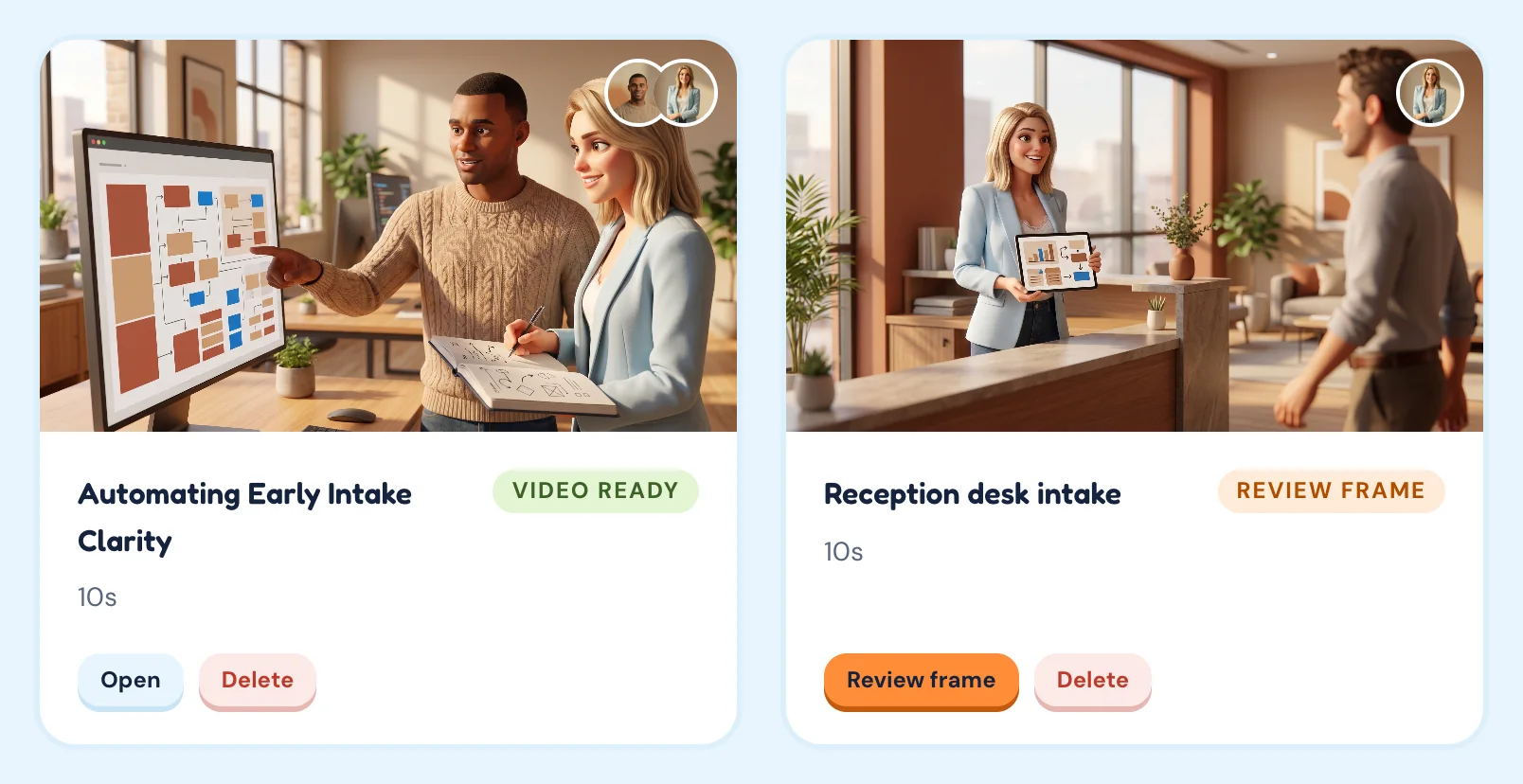
Every video in the Videos list shows its status: no frame, drawing frame, review frame, rendering video or video ready, with a failed chip when the last step broke. If a video has shown drawing frame or rendering video for well over the estimate, reload the page. If it still has not moved, open the video and choose Contact support at the bottom of the menu: the request names the video for you. Or mail [email protected] with the video’s name.
Credits were charged but video generation failed. What should I do?
That should not happen: credits are held while a generation runs, charged when it succeeds and released when it fails. A failed video says “The video could not be generated. Your frame is safe — try making the video again”, and trying again holds the credits afresh. If your balance dropped for a generation that failed, send a request from Contact support (category Account, plan or billing) with the video’s name and the time, and it is corrected.
The safety filter refused my frame. What should I do?
The video says “The frame could not be generated. The model’s safety filter blocked it and did not say why.” You were not charged. The image model refuses some frames without a reason; in a realistic video with a real person’s photo it is stricter, and it weighs the photo and the whole scene together rather than one word.
- In a realistic video, give the character a plainer photo: only them, no badge, nobody behind them. See Realistic videos.
- Click Draw the frame again.
- If it is refused again, click Make a variation and shorten the scene to one clear action.
A refused frame with the same photo and the same scene is usually refused again, so change one of them before the third try.
The video looks different from the preview frame. What should I do?
The video starts from the approved frame, so its people, setting and framing should carry through. If a finished clip clearly does not match its frame, open the video and choose Contact support at the bottom of the menu (category Problem with a video); the request names the video for you, and a screenshot can go along.
I cannot download my video. What should I do?
Make sure the video’s status is video ready; Download video only appears then. Open the video from the project’s Videos list and click the button above the player. If the download does not start, try another browser, and if that fails, send a request from Contact support at the bottom of the menu.
My video has a watermark even though I am on a paid plan. What should I do?
Check the Billing page shows your plan as active; a payment that failed puts the account back on the free plan’s watermarked video. If the plan is active and the watermark is still there, send a request from Contact support at the bottom of the menu: that is not expected behaviour.